

Add And Use Tags
Tags split a category into the details you care about, like Costco inside Groceries. Create a tag, add it to transactions and filter by it.
Paste it into ChatGPT or Claude to ask questions about it.
Updated View As Markdown
Categories tell you where your money went. Tags add the detail. Inside Groceries you might tag Costco and Farmers Market. Inside Eating Out you might tag Date Night and Work Lunch.
Before You Start
- Tags live inside a category. Decide which category a tag belongs to before you make it.
- Each tag gets a colour, so it’s easy to spot in your lists.
On iPhone
1. Make A Tag While Adding A Transaction
Start a transaction with the purple + and pick a category. Under the amount, tap + Tag.
2. Name It And Pick A Colour
The New Tag box opens. Tap the title to name the tag, then pick a colour from the swatches. Tap Add. You’ll see “Tag saved successfully.”
3. Add The Tag To A Transaction
Tap a tag pill on the add form to select it. Tap it again to remove it. Save the transaction as usual. The tag shows on the transaction in every list.
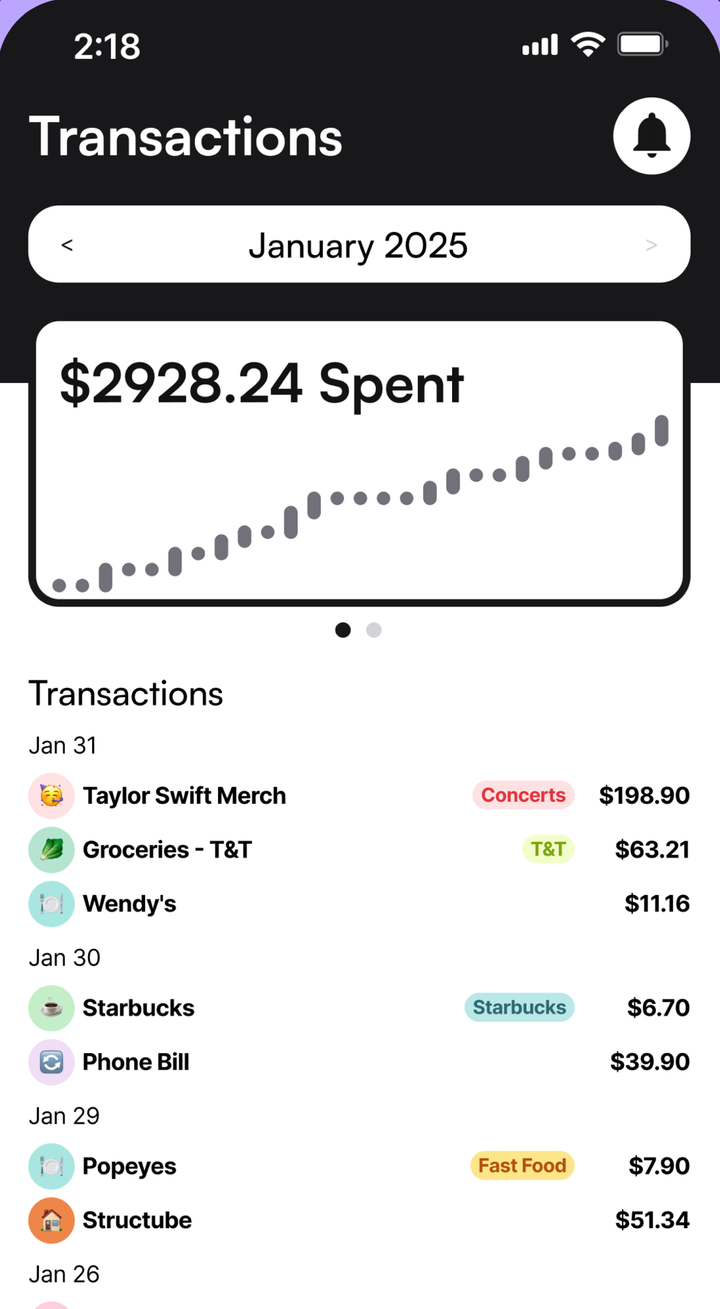
4. Filter By A Tag
Tap a tag pill on any transaction. Maple opens that category, filtered to the tag. Inside a category’s sheet, tap tag pills to filter the list the same way.
5. Manage All Your Tags
Go to Menu, then Tags. Every tag is grouped by its category. Tap a tag to rename it, recolour it or delete it. Use + Tag under a category to add a new one there.
You can also long-press a tag pill on the add form to edit it. Deleting a tag doesn’t ask twice, so check before you tap Delete.
On Android
The steps are the same as on iPhone.
On The Web
- Open a transaction or click Add Transaction in the sidebar.
- Click + Tag. In Add Tag, type a name (up to 20 characters) and click Add.
- Click a tag pill to add it to the transaction.
- To rename or delete a tag, right-click its pill. Edit Tag opens with Save and Delete.
On the web, you can filter by tag inside a category. Open Categories, click a category and click a tag.
Tips
- Keep tags short. They sit next to the amount on every row.
- If you want to know how you paid, use payment methods instead of tags.
Common Questions
Can One Tag Work Across Every Category?
No. Each tag belongs to one category. If you want the same name in two categories, make a tag in each one.
Why Can't I Change The Category On A Transaction?
Because its tags belong to the current category. Maple asks you to deselect all tags before you change the category.
How Do I Rename Or Recolour A Tag?
On iPhone or Android, go to Menu, then Tags, and tap the tag. On the web, right-click the tag pill on a transaction and choose Edit Tag.
Try It In Maple Budget
Budgeting is free on iPhone, Android and the web. One account works everywhere.