

Add Payment Methods And Filter By Them
Add your cards and cash as payment methods in Maple Budget, pick one on each transaction, then filter Transactions to see what each card spent.
Paste it into ChatGPT or Claude to ask questions about it.
Updated View As Markdown
Payment methods are how you paid: Cash, Debit, a Visa or an Amex. Add the ones you use, pick one when you log a purchase, and filter your transactions by card at the end of the month.
Before You Start
- Name each method the way you think of it, like “Amex Cobalt” or “TD Debit”. Names must be unique.
- Your account already has Cash.
On iPhone
1. Go To Menu, Then Payment Methods
Tap Menu in the tab bar. Payment Methods is in the Money group.
2. Tap Add A Payment Method
Tap Add A Payment Method. In the Add Payment Method box, type a name and save. You’ll see “Payment Method Added”.
3. Rename Or Delete One
Each payment method has Edit and Delete. Deleting asks first. The transactions themselves stay. Only the payment method is removed from them.
4. Pick It On A Transaction
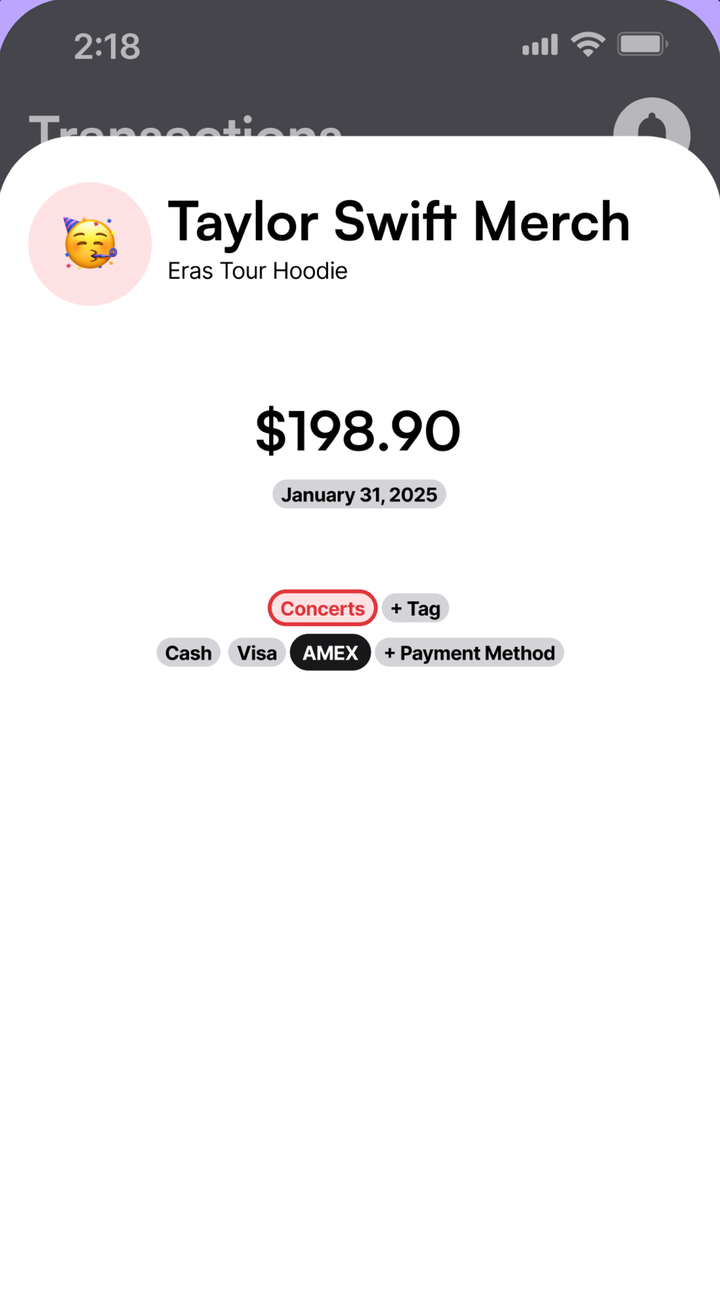
When you add or edit a transaction, tap the payment method pill. You can also tap + Payment Form right on the form to add a new one.
5. Filter Transactions By Payment Method
Open the Transactions tab. Under the monthly overview there’s a row of your payment methods. Tap one to see only what you paid with it. Tap more than one to combine them. With none picked, you see everything.
The row only shows once you have at least one payment method.
On Android
The steps are the same as on iPhone.
On The Web
- Open a transaction, or click Add Transaction in the sidebar.
- Click + Payment. In Add Payment Method, type a name and save.
- Click a payment method pill to pick it.
- To rename or delete one, right-click its pill.
There’s no payment method filter on the web yet. Use the iPhone or Android app to filter by card.
Tips
- Add a payment method for each card in your Apple Wallet. The Apple Pay shortcut then logs the right card for you.
- Use tags for what you bought and payment methods for how you paid.
Common Questions
Which Payment Methods Do I Start With?
Every account starts with Cash. During setup, Maple suggests Cash, Debit, Visa, Mastercard and Amex, and you keep the ones you use.
What Happens To My Transactions If I Delete A Payment Method?
The transactions stay. The payment method is removed from them and from your choices when adding or filtering.
Can I Filter By Card On The Web?
Not yet. Filtering by payment method is on iPhone and Android. On the web you can add and pick payment methods on transactions.
Does The Apple Pay Shortcut Pick The Card?
Yes. The Apple Pay shortcut sends the name of the card you tapped, and Maple matches it to your payment methods.
Try It In Maple Budget
Budgeting is free on iPhone, Android and the web. One account works everywhere.